Analytics & Cookies

We use self-hosted Matomo analytics. By default we measure anonymously with no cookies. Enable cookies to give us a clearer picture and help us improve your experience. You can change this anytime.

Backup Agent

Backup Agent — Streaming & Chained Modes

The ShadowCradle backup agent runs on Windows, Linux (beta), and macOS (beta). macOS backs up at the file level. Pair it with a ShadowCradle appliance and every recovery point becomes completely independent - no chains, no dependencies. The appliance manages all snapshots, deduplication, and recovery operations to support recovery from any point in your backup history.

Win · Linux β · Mac β
Cross-platform agent
AES-256-GCM
Per-block encryption
64 KB
Block granularity (configurable)
Bounded
Local cache: RAM sized from free memory, disk capped

Snapshot Streaming Architecture

The agent streams blocks directly to the ShadowCradle appliance, where every recovery point is completely independent and fully restorable without any dependencies on prior snapshots.

With ShadowCradle Appliance

Snapshot Streaming

The agent streams blocks directly to the ShadowCradle appliance over HTTPS. The appliance manages all snapshots, deduplication, and metadata - so each recovery point is stored as a fully self-contained unit with no dependency on any other snapshot. Restore from any moment in history without first restoring an earlier point.

Agent
Appliance
HTTPS streaming · API key auth
  • Every snapshot is fully independent - no chains ever
  • Restore any point in time without traversing earlier snapshots
  • One corrupt snapshot never affects any other
  • Appliance manages deduplication, versioning & indexing
  • Boot a recovered VM from backup data (brief reboot required to cut over)
  • Automatic monthly recovery testing built in
  • Multi-site replication of fully chain free based backup snapshots included
Best for
HQ & data centre environments · Compliance-heavy industries · virtualised workloads · Mission-critical systems where every recovery point must be independently restorable
Backup Strategy

Two Backup Types. Both Built In.

The agent automatically chooses the most efficient type based on what has changed since the last backup.

FullFirst backup
Every block on the drive is read and stored. Always the starting point - subsequent backups build from here.
IncrementalAfter the first Full
Reads only blocks changed since the previous backup. Smallest backup windows, lowest storage footprint.
Optional CBT Driver - One Reboot Required
The Changed Block Tracker driver intercepts writes at the kernel level for true incremental tracking. On Windows the driver feeds a change list that is checked against copy-on-write data from the snapshot. Installation requires a single system reboot.
How It Works

Inside Every Backup Run

Six deterministic steps run in sequence each time the agent triggers a backup job.

Step 1 - Initiation
Scheduled trigger fires. Agent checks for any in-progress jobs on the appliance (concurrent limit respected per model).
Step 2 - VSS Snapshot
Windows Volume Shadow Copy creates an application-consistent point-in-time snapshot. SQL Server and Exchange VSS writers are notified to flush and quiesce.
Step 3 - Changed Block Scan
The CBT driver and the snapshot copy-on-write diff, plus the NTFS $LogFile sequence number, point to changed blocks. Each candidate is hashed. Only changed 64 KB blocks are read.
Step 4 - Encrypt & Transfer
Each block is individually AES-256-GCM encrypted with a unique nonce. Compressed blocks stream directly to the ShadowCradle appliance over HTTPS with full integrity verification.
Step 5 - Snapshot Created
The appliance atomically commits the snapshot. In fully chain free based backup mode, we independently store each section of each snapshot and map it to deliver minimum space usage, maximum performance, and optimal reliability - creating a fully independent recovery point with no prior snapshot required to restore.
Step 6 - Verify & Replicate
Post-write verification re-reads sampled blocks. If cloud replication is configured, the snapshot is queued for asynchronous upload to the cloud archive.

Enterprise Capabilities in Both Modes

Switching modes changes where data lands - not what the agent can do.

Block-Level Change Tracking
Block size is configurable (default 64 KB). On Windows the agent uses the CBT driver, the VSS copy-on-write diff and the NTFS $LogFile sequence number, then hashes the candidate blocks. On Linux the scradle driver tracks changed blocks by default, with native paths for Btrfs and ZFS. Only changed blocks are read and uploaded.
AES-256-GCM Per-Block Encryption
Every 64 KB block is individually encrypted with a unique 12-byte nonce and a 16-byte authentication tag. Block offset is used as Additional Authenticated Data to prevent block-swapping attacks. About 0.04% overhead.
Pre-Backup Ransomware Detection
Entropy analysis, sentinel file integrity checks (15 monitored files), and rapid modification detection. If ransomware behavior is detected, the backup halts immediately and an alert is raised - protecting your recovery points from corruption.
Flexible Backup Scope
Whole-drive imaging, system-partition-only (excluding user data), or a specific volume by drive letter or mount point. Each scope can have its own independent schedule.
Crash Recovery & Checkpointing
Progress checkpoints written every 1,000 blocks via atomic temp-file swap. If the agent crashes mid-backup it resumes from the last checkpoint - no partial blocks, no corrupt output.
Post-Write Verification
Configurable sampling verification (0–100%) re-reads written blocks and revalidates their content hashes. Catches storage-layer errors before they would silently corrupt a future restore.
Independent Full & Incremental Schedules
Cron-based scheduling lets you run a full backup weekly and incrementals every 6 hours independently. Retention policies automatically clean up old snapshots and release storage.
Per-Backup Metrics
Per-backup counters for blocks written, throughput (MB/s), compression ratio, deduplication savings (bytes), and duration. See them in the agent and on the appliance.

Cross-Platform Support

Windows
Server 2012 – 2025 · Windows 8, 10, 11
  • CBT driver + VSS copy-on-write diff + NTFS $LogFile tracking, configurable block size (default 64 KB)
  • CBT driver for incremental backups (requires one reboot)
  • VSS integration for application-consistent snapshots
  • SQL Server & Exchange VSS writer support
  • Physical drive & partition backup
Fully Supported
Server 2025Server 2022Server 2019Server 2016Windows 11Windows 10
Partially Supported
Server 2012 R2Server 2012Windows 8
Command-line pairing only. CBT driver and VSS not available on these versions.
LinuxBeta
Ubuntu 20.04+ · CentOS 8+ · Debian 11+
  • scradle driver change tracking by default; native Btrfs and ZFS paths
  • btrfs filesystem support
  • iSCSI volume backup with direct-to-cloud caching
  • Mount-point partition targeting
macOSBeta
macOS 10.15 Catalina and later
  • APFS local snapshots and FSEvents change monitoring
  • File-level backup of every volume (no block driver on macOS)
  • Time-Machine-agnostic - runs independently
  • Configurable compression (lz4 / zstd)

Mode Comparison at a Glance

CapabilitySnapshot Streaming (Appliance)
Independent recovery points✅
Appliance hardware required✅ Yes
Storage destinationShadowCradle Appliance
Recent restore speed✅ Local appliance
Older snapshot restore✅ Appliance storage
Deduplication managed byAppliance
Multi-site replication✅ Built in
Ransomware detection✅
AES-256-GCM encryption✅
Crash recovery & checkpointing✅
Per-backup metrics✅

Inside the Appliance

Screens from the live demo with sample data.
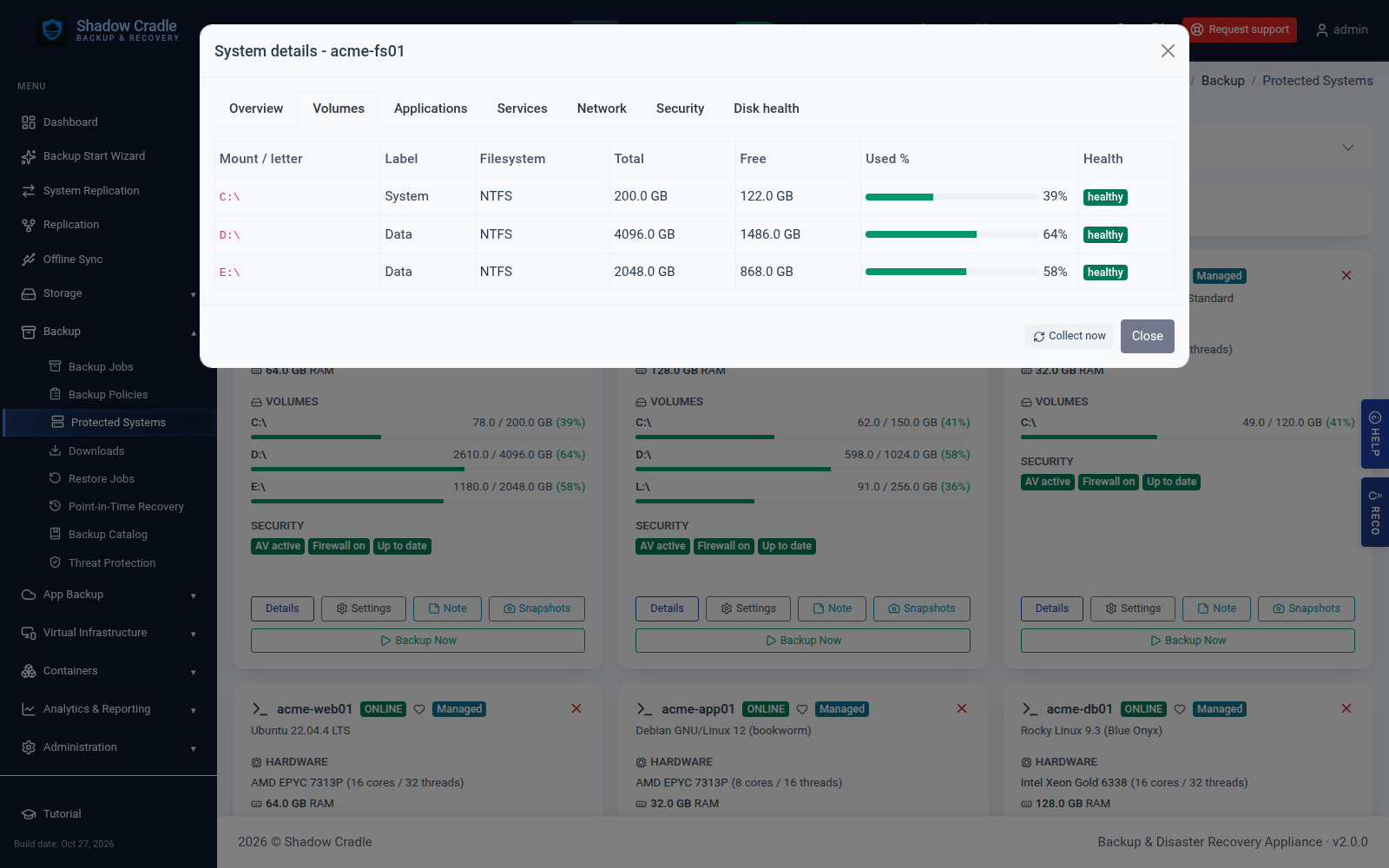
Protected system detail with per-volume health
System details with per-volume health.
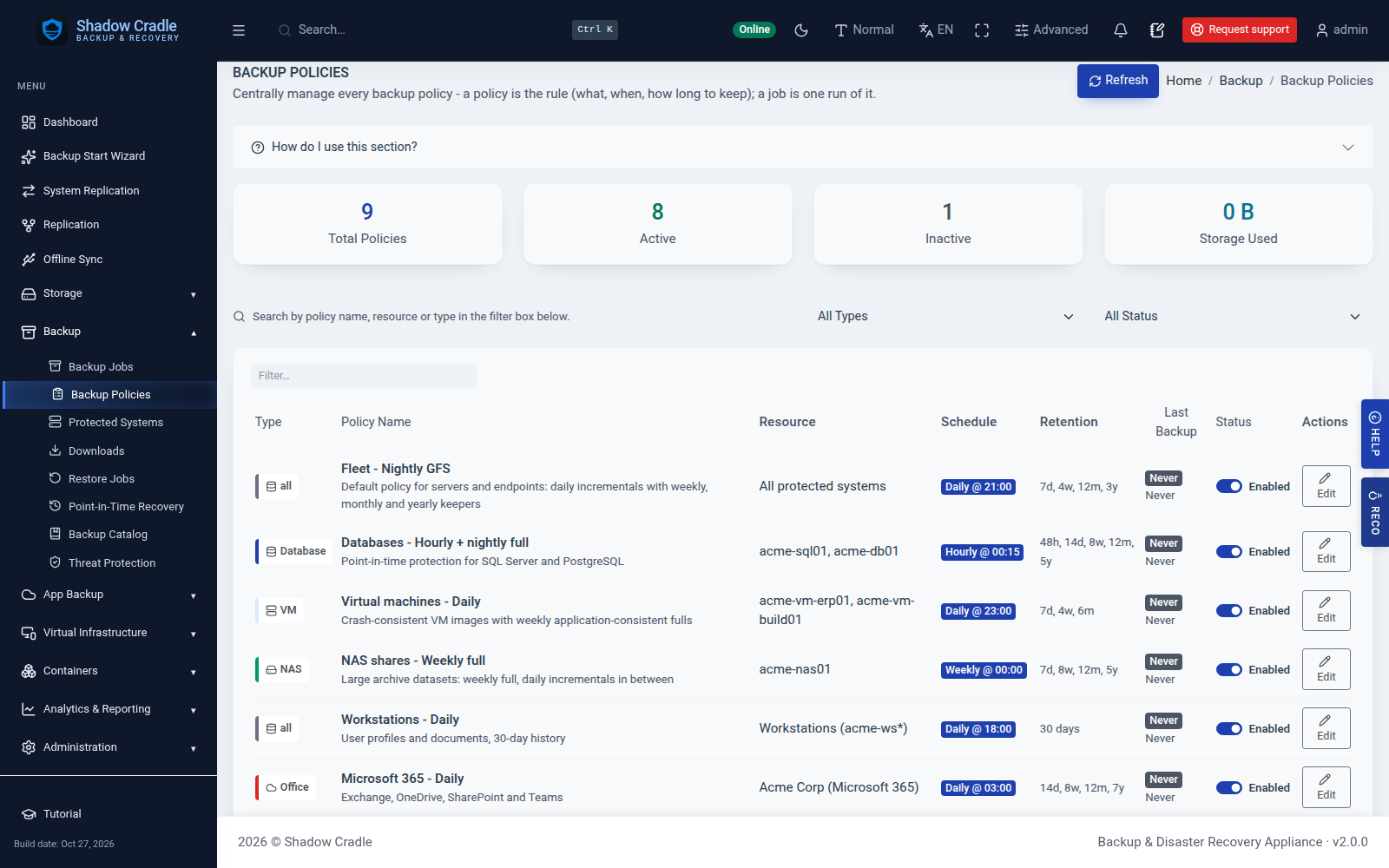
Backup policies including a GFS retention policy
Backup policies with GFS retention.
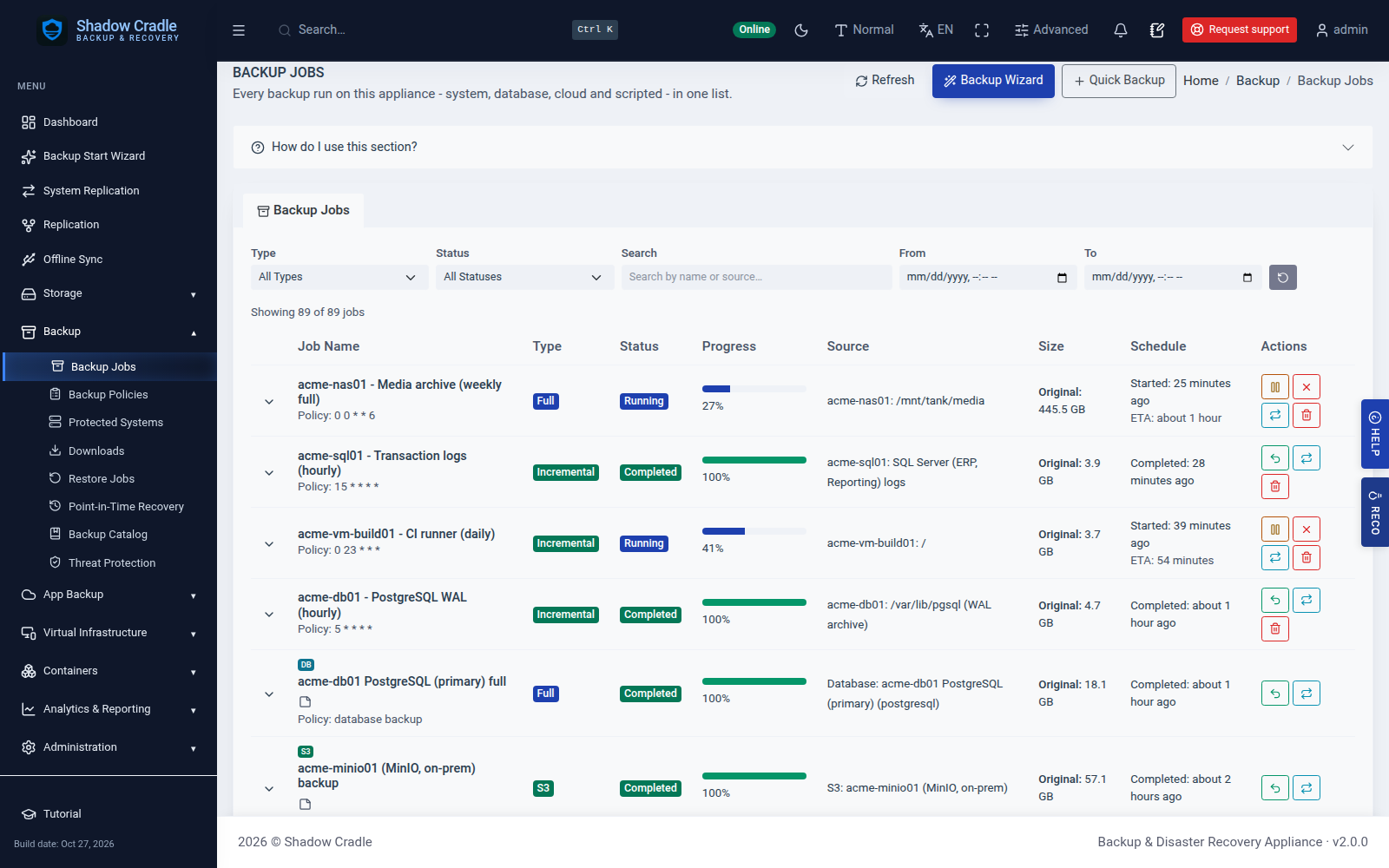
Backup jobs across system, database, S3 and NAS
Backup jobs list.
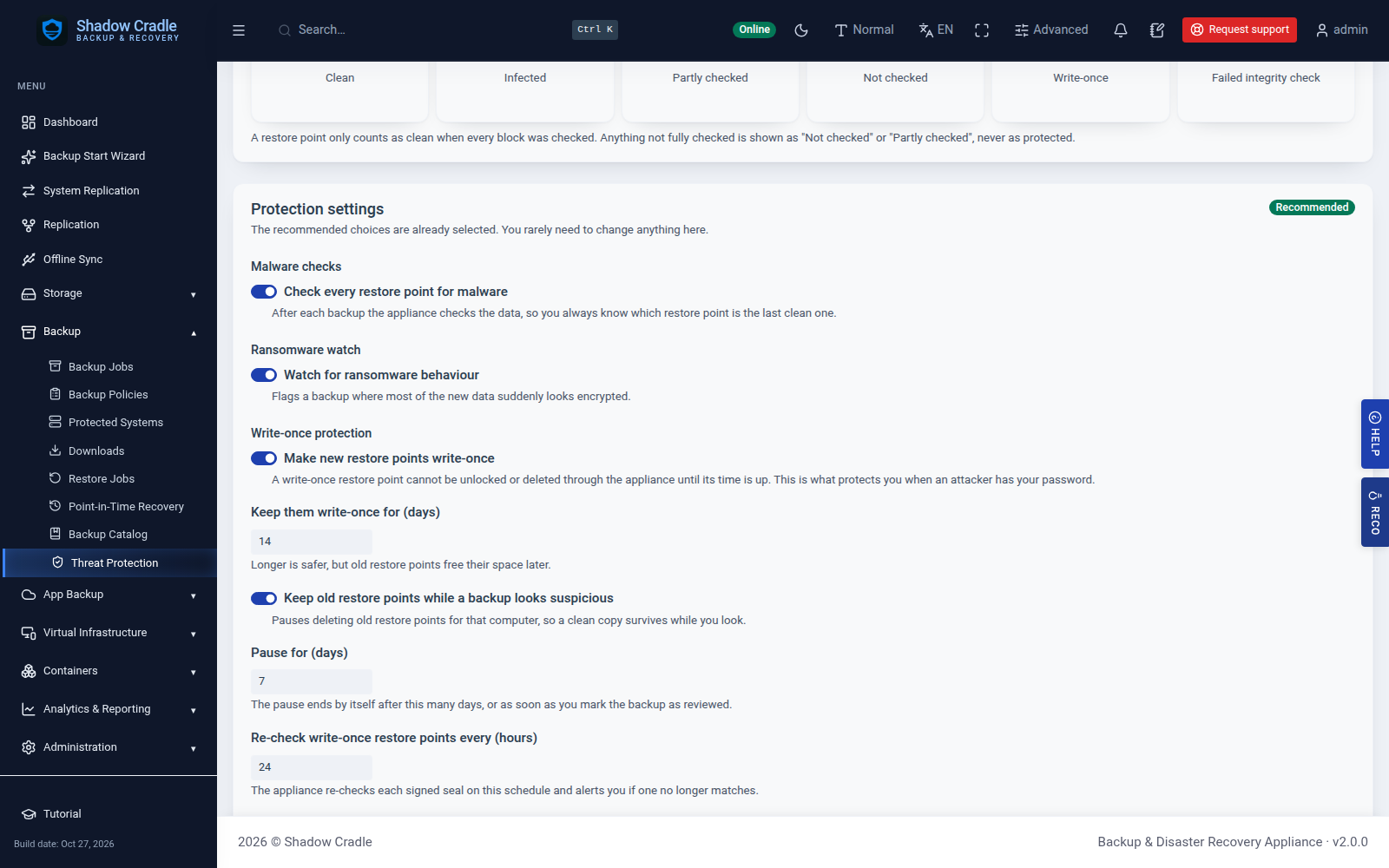
Write-once restore point settings
Write-once protection settings.

One Agent. Every Machine. Maximum Recoverability.

Pair the backup agent with a ShadowCradle appliance for truly independent recovery points - no chains, no dependencies. Install on Windows or Linux.

Free for limited backups