VM Backup and Bare Metal Restore — Estimate Your Recovery Time
Recovery time depends on VM content, data size, network and hardware. The estimator below uses assumed inputs, so treat its result as an estimate. Scheduled restore verification records real restore times in your environment. Recover a single file from a backed-up VM, recover the entire VM to different hardware, or restore a specific snapshot.
- RTO: typical, depends on VM content
- RPO: Every 15 minutes or more frequent snapshots
- Included - no separate VM backup licensing
- Boot-test results show recovery time before an incident
- Agent-based protection for guests on any hypervisor
- Granular restore: individual files, volumes, entire VM
- Boot from backup data
- Point-in-time snapshots and recovery testing
- Simple recovery workflow (click, select VM, recover)
- Testing capability without affecting production
- Health checks before failover
- Centralized recovery from cloud dashboard
Granular Recovery Options
Recover entire VM
Restore to the same or different hardware, with boot repair and optional driver injection.
Recover individual files
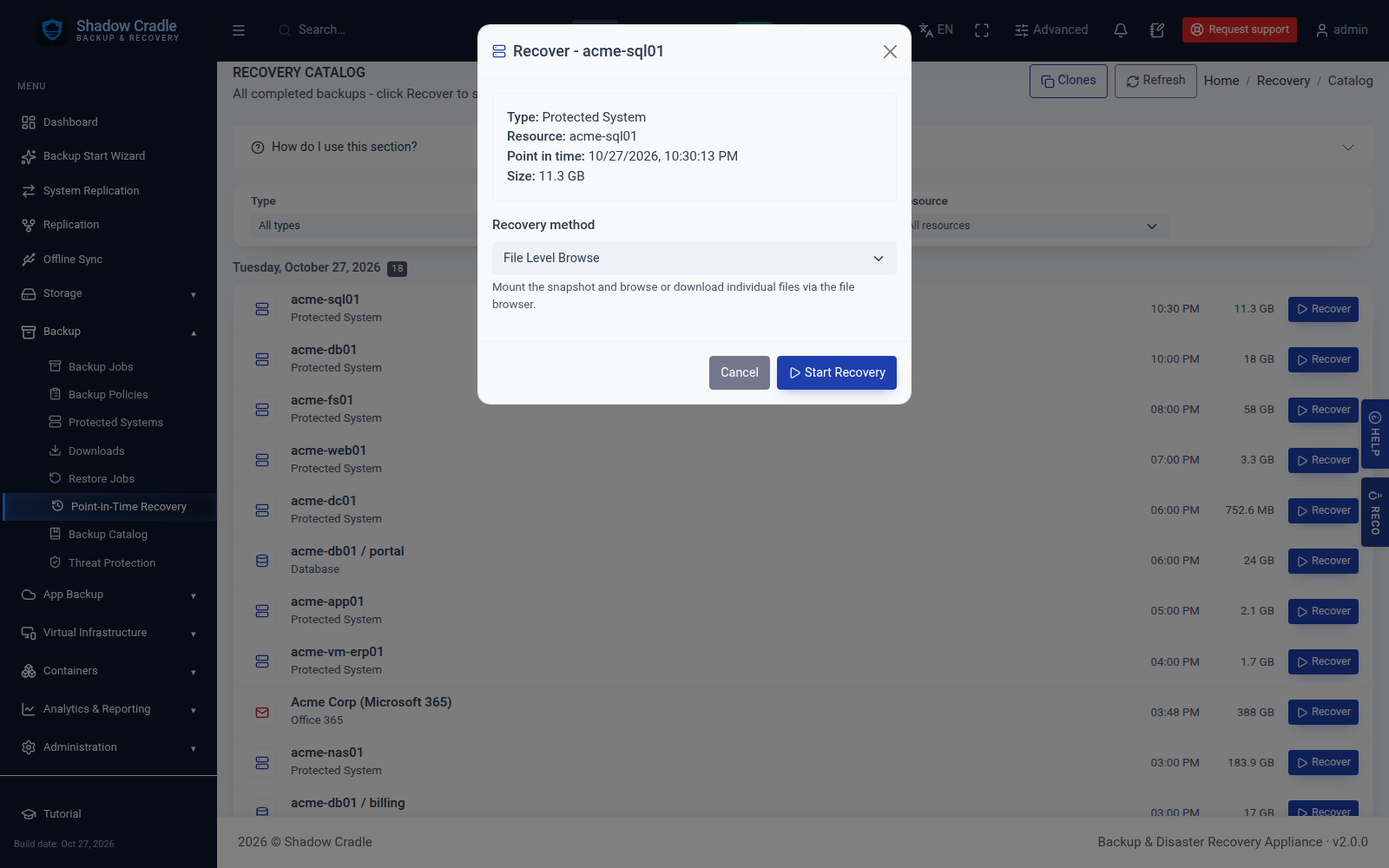
Mount VM snapshot, browse file system, extract specific files without full restore.
Recover volumes
Restore specific disks without recovering the whole VM.
Boot from backup data
Boot a recovered VM straight from backup data while you plan a full restore. A brief reboot is needed to cut over to the restored VM.
You Choose Where the VM Runs
ShadowCradle stores the backup data. When you need to spin up a VM from that data, you are not limited to the appliance that holds it. Any peer ShadowCradle appliance on the network can act as the virtualization engine - pulling data from its peer and running the recovered VM locally. The receiving appliance does not need to match the original in CPU, RAM, or storage size.
backup data + hypervisor
The appliance that holds the backup data also runs the recovered VMs. Simple: no separate recovery host needed.
A peer appliance streams backup data from Appliance A and runs the recovered VMs locally. Hardware specs do not need to match - any peer can serve as the compute engine.
Boot the ShadowCradle LiveCD (Ubuntu-based ISO) on any physical machine. The ISO auto-launches a built-in QEMU hypervisor, connects to the backup appliance over iSCSI, mounts the backup volumes directly, and starts running your VMs on bare metal - no OS installation or existing infrastructure needed.
iSCSI target
iSCSI initiator
Use your existing hypervisor, or any platform with an iSCSI initiator. ShadowCradle exposes backup volumes as iSCSI targets. Your hypervisor connects directly and presents the volumes - VMs run from backup data with no copying required.
VM Recovery Capabilities
| Capability | ShadowCradle |
|---|---|
| Boot from backup data | Boot a recovered VM from backup data while you plan a full restore. A brief reboot cuts over |
| Granular file recovery | Mount a VM snapshot, browse the file system and extract single files |
| Scheduled restore verification | Scheduled boot tests with per-VM pass/fail reports |
| Peer appliance as virtualization engine | A peer appliance runs the recovered VM |
| Application-consistent snapshots | Snapshots taken in an application-consistent state |
Real-World Use Cases
Ransomware Recovery
Ransomware infects VM; must recover to a clean state quickly.
Hardware Failure - 12 VMs
Physical server fails; must recover 12 VMs.
Rapid Scale-Out
Need to clone a database VM 5 times for dev environment by tomorrow morning.
Key Advantages
No Guesses. You Know Exactly How Long Recovery Takes.
ShadowCradle periodically boots every protected system in an isolated test environment - your entire back office, virtualised from the latest backup, running live. You see what comes up, how long it takes, and any issues before you ever need to recover for real. By the time a real incident happens, your RTO is not a guess. It is a number you have already measured.
Estimate Your Recovery Time
Configure your server environment and storage pool speed to see an estimate based on the numbers you enter. The boot times and storage figures are assumptions, not measurements. Systems boot in parallel directly from backup data.
Explore Related Features
Inside the Appliance
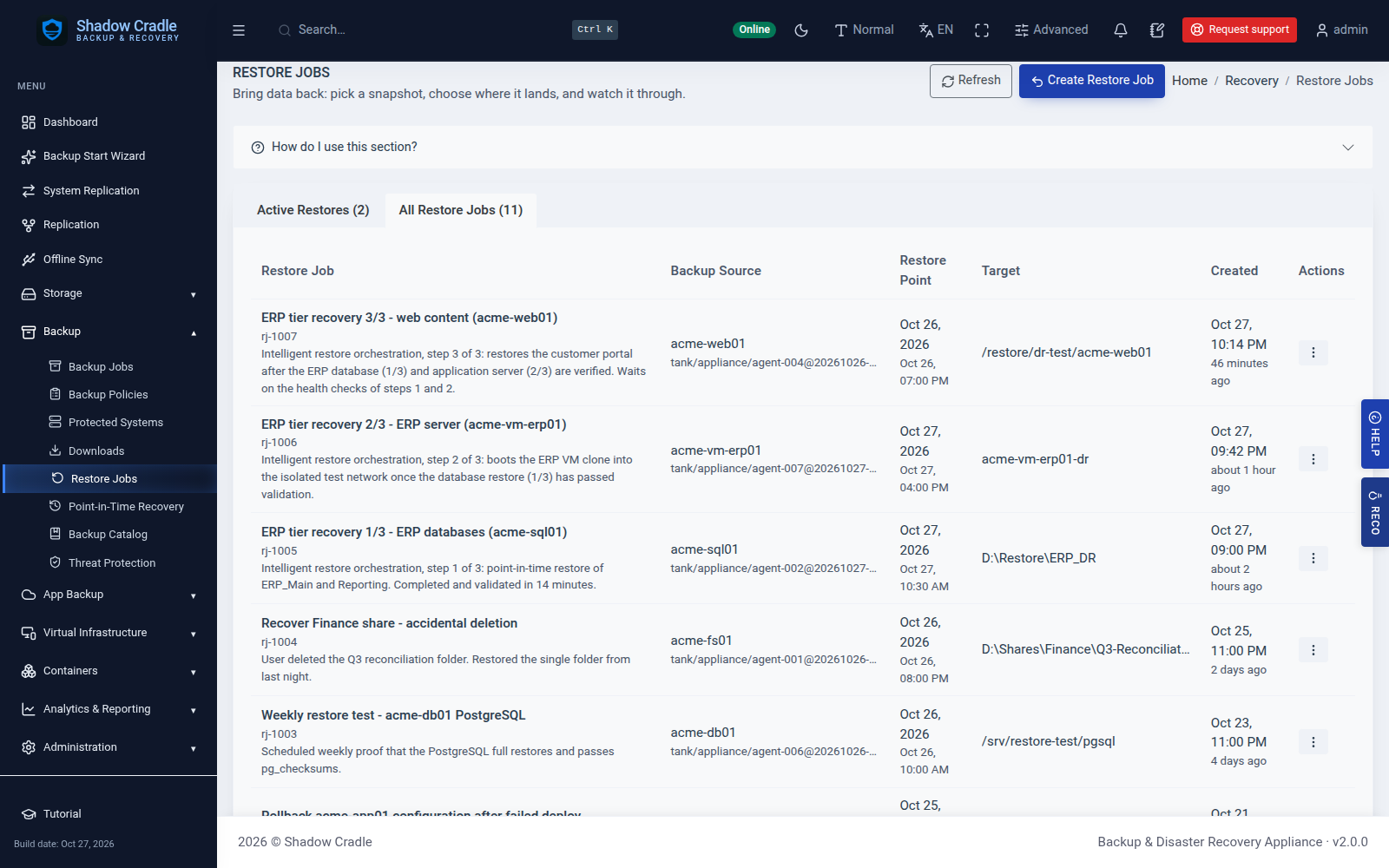
Screens from the live demo with sample data.
Related reading
- Automated restore verification and boot testing - Schedule restore tests and keep the results.
- Multi-site backup replication - Keep a second copy of VM backups at another site.